Voice Clone Doesn't Sound Like You? It's Probably the Sample: A 20-Second Recording Guide
Muffled, noisy, or just not you? Most voice cloning problems come from the sample. Here's how long to record, where to record, what to read, and how to handle every warning the quality check shows.
We get this question a lot: why does my cloned voice sound muffled, with a faint hiss in the background, or a tone that's noticeably off from the real me?
We've gone through plenty of these reports, and most of the time the problem isn't the model. It's the sample. The model treats everything in that recording as "your voice," including the air conditioner, the room echo, and the distortion from a phone speaker. Whatever is in the sample ends up in the clone.
The good news: recording a solid sample isn't hard. You don't need a studio mic. A phone and a quiet room are enough. Here's what we've learned, step by step.
The short version: 10 to 30 seconds, quiet, continuous, natural
If you only remember one thing, make it this.
- Length: 10–30 seconds is the sweet spot. Under 3 seconds can't be cloned; under 8 seconds, similarity drops noticeably; over a minute doesn't help and makes it easier for noise and pauses to sneak in.
- Environment: The quieter the better. Close the windows, turn off the AC, and stay away from the fridge and computer fans.
- Content: Speak continuously, without long gaps.
- Tone: Talk the way you normally do. No announcer voice, no forced low register.
Now let's look at why each of these matters.
Before you record: two minutes of prep
People tend to underestimate the room. Your ears automatically tune out low background hum. The model doesn't.
Noise sources that are easy to miss:
- Constant low-frequency noise from AC units, ventilation, and computer fans
- Traffic and construction outside the window
- Echo in empty rooms (bare walls and hard floors are the worst)
A simple fix: record in a bedroom or next to a closet. Curtains, bedding, and clothes absorb echo, and the result is often far better than a sparse living room.
If you're using a phone, hold it 20–30 cm (8–12 inches) from your mouth. Too close and you get plosive pops and distortion; too far and your voice gets quieter while the room gets louder.
What to read: something you'd actually say
The content of the sample doesn't need to be special, but two tips help:
- Read a full passage, not isolated words. The model needs to learn your rhythm and intonation, and a connected paragraph is far more useful than "one, two, three, testing."
- Match the language you'll generate later. If you plan to produce English voiceovers, record your sample in English.
If you can't think of anything to read, use the sample script on the page. Switch to Record Online on the clone page and you'll see a roughly 20-second script at the top, available in both English and Chinese. It reads naturally and is just the right length.
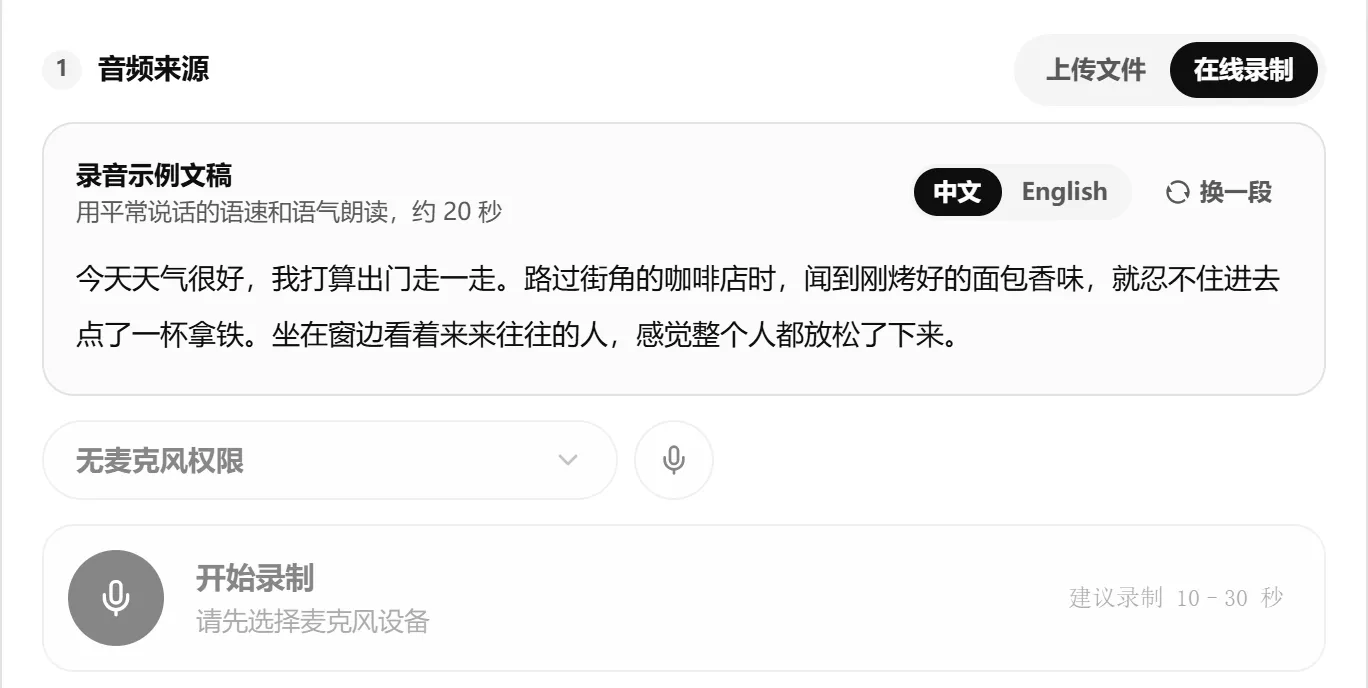
When you read it, talk like you're telling a friend a quick story. You don't need perfect diction. However you normally speak is how your clone will sound, and that's exactly what you want.
After uploading: understanding the quality check
Once you upload or record audio on the Voice Cloning page, your browser checks the sample right away, before you submit anything. Results come in two kinds:
- Orange warnings: You can still create the voice, but quality may suffer.
- Red errors: The sample doesn't qualify. Re-record it or pick a different file.
The example below is a "bad sample" we made on purpose: a meeting recorded off a phone speaker, with the volume too high and a pause of over 4 seconds in the middle.
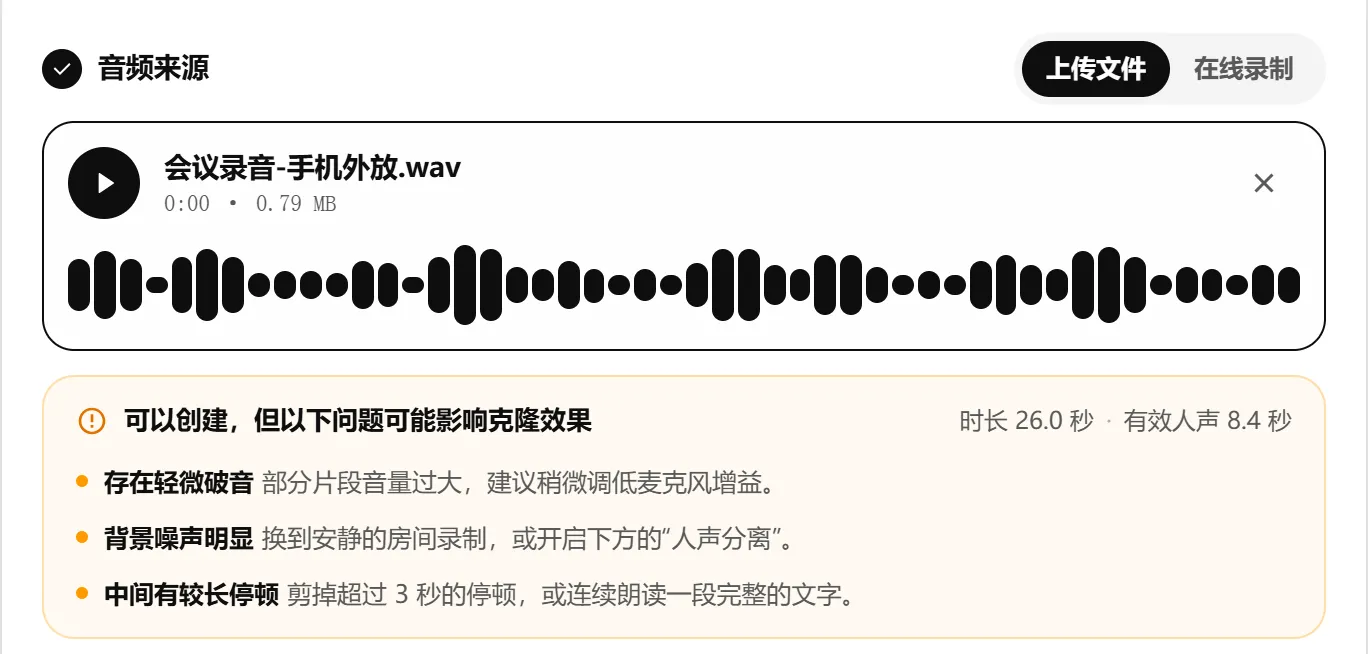
Out of 26 seconds of audio, only 8.4 seconds is actual speech. The rest is pauses and noise. The check raised three warnings. Here's how to handle each one:
Slight distortion detected: The input was too loud, so the peaks of the waveform got clipped, which sounds harsh and crackly. Lower the microphone gain or move a bit farther from the mic. If the distortion is severe, the check will reject the sample outright.
Noticeable background noise: There isn't enough separation between your voice and the background. The most effective fix is to re-record somewhere quieter. If that's not an option, open Other Settings below and turn on Vocal Separation, which tries to strip out background sound. Noise removal always costs some detail, though, so re-record if you can rather than relying on it.
Long pause in the middle: The sample contains a gap longer than 3 seconds. Trim the pause, or simply read a passage straight through.
Other common warnings:
| Warning | Cause | What to do |
|---|---|---|
| Audio is too short | Under 3 seconds | Record at least 10 seconds |
| Audio is a bit short | Under 8 seconds | Extend it to 10–30 seconds |
| Audio is longer than needed | Over 1 minute | Trim to the cleanest 10–30 seconds |
| Volume is low | Too far from the mic or input volume too low | Move closer or raise the input volume |
| No clear voice detected | Mic is muted or the wrong device is selected | Check your device and record again |
Here's the same content recorded at a normal volume in a quiet room. The result is much cleaner:
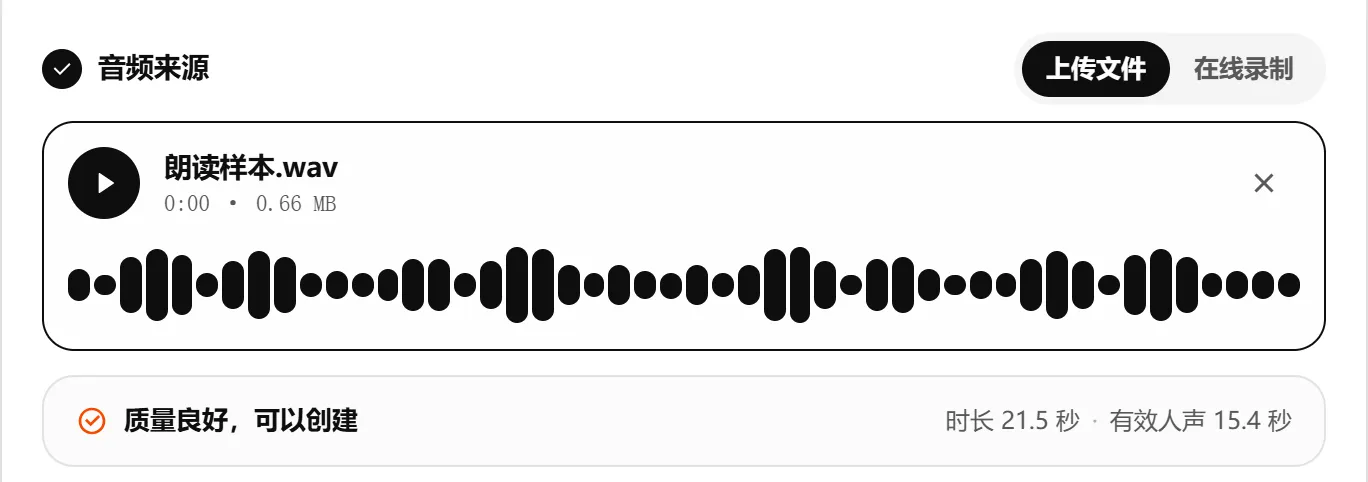
Of 21.5 seconds of audio, 15.4 seconds is speech, with no warnings at all. That's what a good sample looks like.
Common misconceptions
"A longer sample means a better clone"
Not really. Past one minute, quality basically stops improving, and coughs, page rustling, and long pauses become more likely. Instead of uploading a 5-minute meeting recording, pick out the cleanest 20 seconds.
"Audio pulled from a video works too"
It can, but choose a segment with no background music and no other speakers. Music is the hardest kind of noise to remove, and even Vocal Separation struggles to clean it up completely.
"I should sound as rich and resonant as possible"
If you deliberately deepen your voice or put on an announcer tone, that's the voice you'll get, and every line you generate afterward will carry that affectation. It gets tiring fast. Speaking normally gives the most natural result.
Ready? Give it a try
Here's the whole flow:
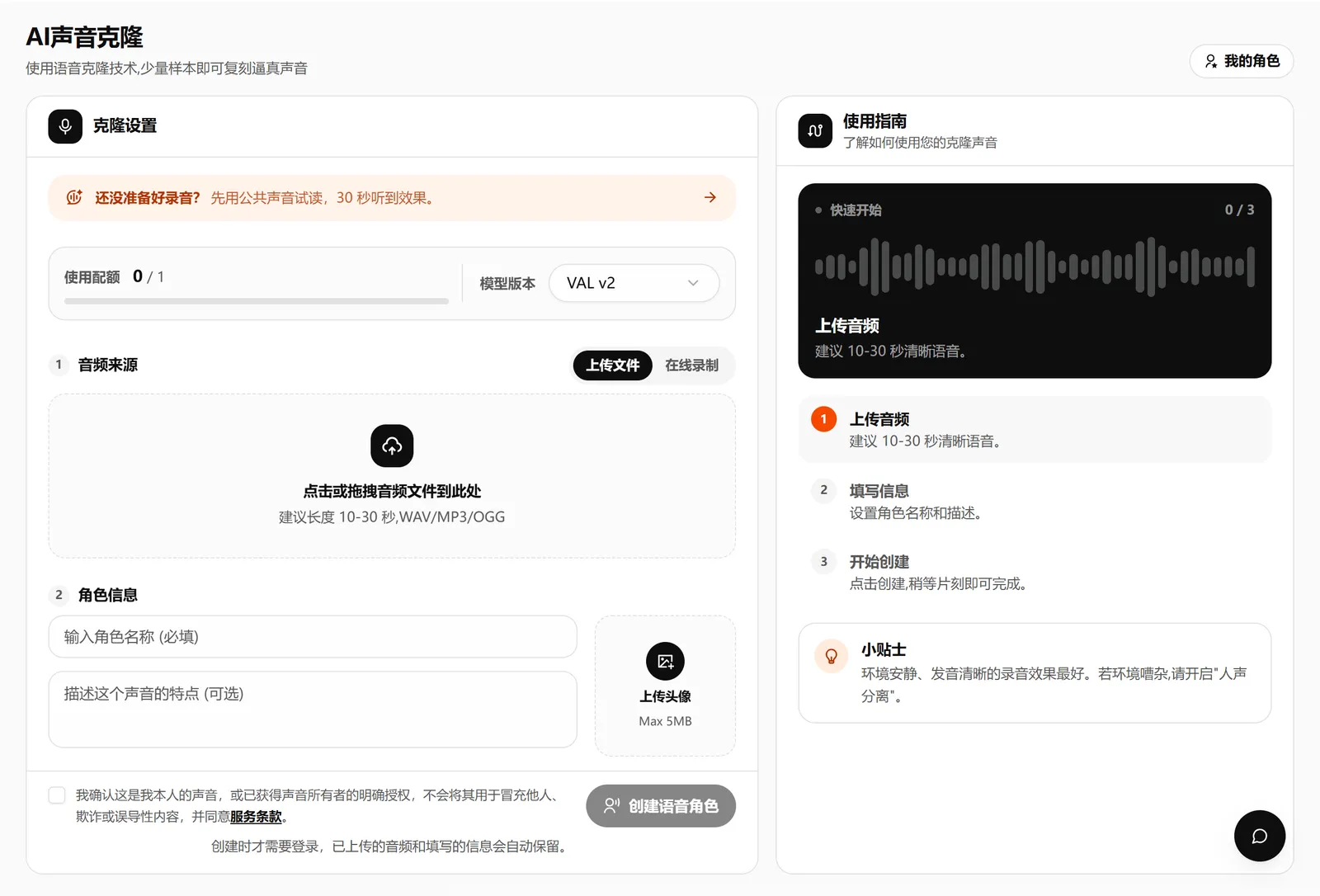
- Open Voice Cloning and choose Upload File or Record Online
- Glance at the quality check and adjust if you see any warnings
- Enter a character name, confirm the consent statement, and click create
Creation usually takes about 20 seconds. After that, you can use the voice to read any text in Text Dubbing, or voice long-form content in Voice Projects.
One last reminder: only clone your own voice, or a voice whose owner has given you explicit permission. It's a platform rule, and it's basic respect for other people.
Not ready to record yet? Head over to the Voice Square and try one of the public voices first.